Most small and medium businesses treat subscription management software as optional until a surprise charge or a budget review forces the issue. Without dedicated subscription management best practices in place, a charge lands on the card, someone investigates, the team debates whether to keep the tool, and eventually something happens - or does not. Left unchecked, too many overlapping or forgotten tools can lead to subscription fatigue - a state where the sheer volume of recurring payments becomes a distraction in itself. The same conversation repeats six or twelve months later when the subscription renews again. Hidden SaaS costs - from auto-renewals, price increases, and unused seats - are often what trigger that reactive scramble in the first place.
This is not a technology problem. It is a process problem. The businesses that have their software costs under control are not necessarily using more sophisticated tools. They have simply built a set of habits around subscription management that give them visibility and control before problems arise, not after.
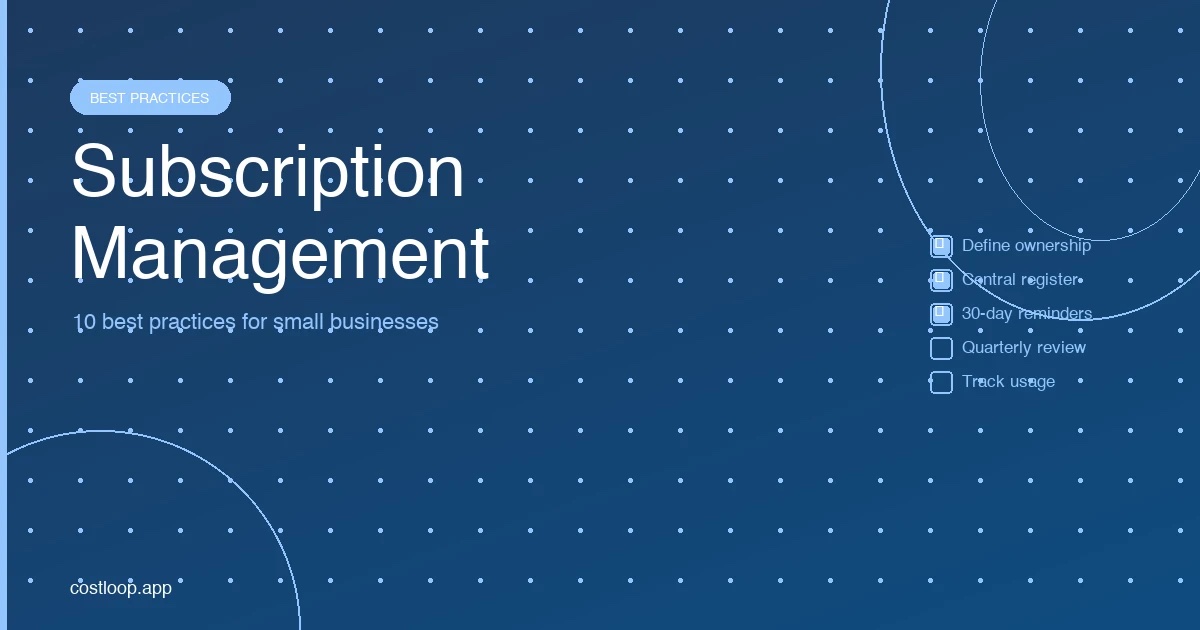
The ten practices below are the specific habits that make that possible. Each one is practical, implementable without a large team or dedicated IT function, and worth significantly more than the effort it takes to put in place.
1. Define an Owner for Every Subscription
What it is: Every subscription in your stack has a named person who is accountable for it - the person who evaluates it at renewal, decides whether to keep or cancel it, and is responsible for any changes to the plan.
Why it matters: Subscriptions without a clear owner are nobody's responsibility. When a renewal reminder arrives, it gets ignored because everyone assumes someone else will handle it. When the tool stops being used, it keeps renewing because nobody has a mandate to cancel it. Ownership is the single most important governance practice for any subscription portfolio.
How to implement it: Assign an owner to every subscription in your register today. The owner should be whoever has budget authority for that tool's function - typically the team lead or department head who uses it most, or whoever controls the relevant cost center. For small and medium businesses where one person manages all software, that person is the owner of everything, and the practice is less about delegation and more about making the responsibility explicit in your records.
2. Maintain a Central Subscription Register
What it is: A single, always-current record of every software subscription the business pays for, with all relevant details stored in one place.
Why it matters: Without a central register, subscription information is scattered - some tools are tracked in someone's memory, others in email inboxes, others in browser bookmarks. This fragmentation means that no one person has a complete picture of total spend, upcoming renewals, or which tools are active. Decisions get made without full context.
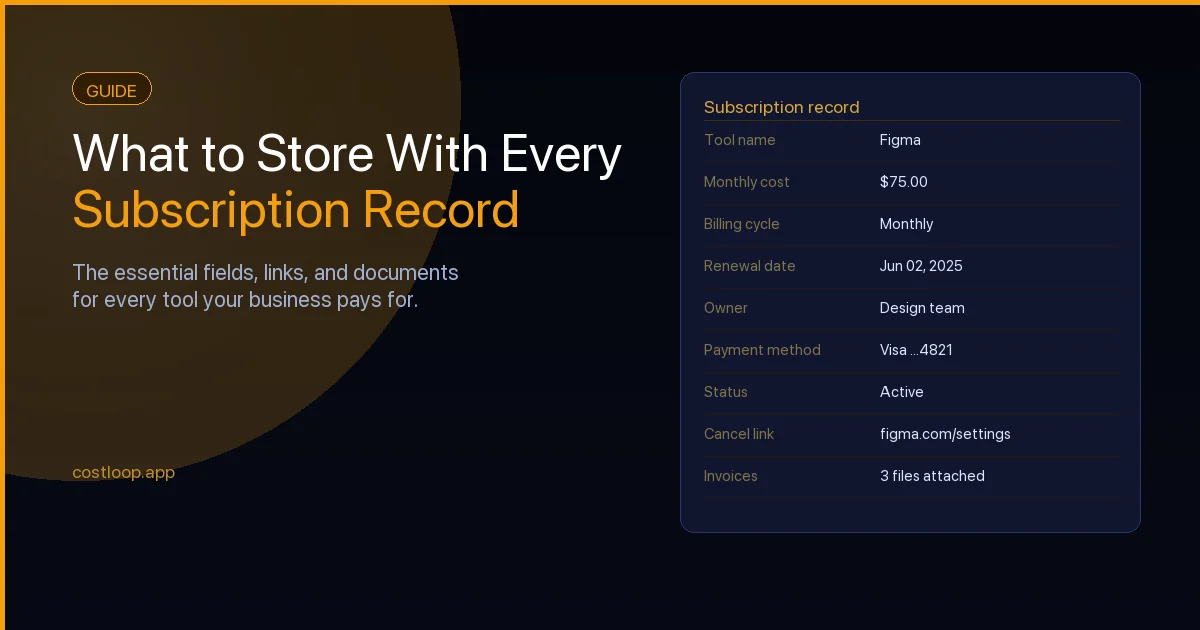
How to implement it: Choose one place to store subscription records - a spreadsheet, a Notion database, or a dedicated tool for subscription management like CostLoop - and commit to using only that. This software inventory is the foundation everything else depends on. For each subscription, record the tool name, vendor, cost, billing cycle, renewal date, payment method, owner, number of seats, and a brief description of what it does. Add new subscriptions the day you sign up for them, before they have a chance to become forgotten. The register is only useful if it is current, so maintenance discipline matters as much as the initial setup.
The complete guide to what to store in a subscription record covers all the fields worth tracking in more detail.
3. Set Renewal Reminders at 30, 14, and 7 Days
What it is: Three automated reminders before each subscription's renewal date, giving you time to evaluate, act, and confirm action was taken.
Why it matters: A single reminder the day before a renewal is nearly useless - there is no time to evaluate alternatives, negotiate pricing, or initiate a cancellation process (many vendors require several days to process). Three reminders at different intervals give you the runway to make a proper decision.
How to implement it: The 30-day reminder is for evaluation: is this tool still being used, and is it worth the cost? The 14-day reminder is for action: cancel, negotiate, or confirm renewal. The 7-day reminder is a safety check: has action been taken, and is there anything outstanding before the charge hits? If you use a dedicated subscription tracking tool, configure these reminders once per subscription. If you use a calendar, create three recurring events per annual subscription, adjusted each year after the renewal confirms the new date. For a deeper guide on building this system, SaaS renewal tracking covers the full approach including how to handle annual versus monthly subscriptions differently.
4. Review Subscriptions Quarterly - Not Just When Something Goes Wrong
What it is: A structured review of your complete subscription stack every three months, regardless of whether there is an immediate problem to solve.
Why it matters: Most subscription reviews happen reactively - someone notices a charge, questions a tool's value, or receives a renewal for something they forgot existed. Reactive reviews catch problems after money has left the business. A quarterly review catches them before renewals happen, when you still have the option to act.
How to implement it: Block 30 to 60 minutes every quarter for a subscription review. Go through every tool in your register and ask three questions: Is this tool still being used at least weekly by at least one person? Is the plan level appropriate for actual usage? Is there any upcoming renewal in the next 90 days that needs a decision? Anything that fails the first question is a cancellation candidate. Anything that fails the second is a downgrade candidate. Anything that has an upcoming renewal goes on the action list for the relevant owner.
5. Track Actual Usage - Not Just Whether You Have a Seat
What it is: Going beyond "do we pay for this tool" to understand whether it is actively being used, by how many people, and for what purpose.
Why it matters: A seat that exists is not the same as a seat that is used. A tool that was valuable six months ago might have been replaced by something else in your stack, with the original subscription never cancelled. Usage data distinguishes between tools that are genuinely earning their cost and tools that are simply not yet cancelled.
How to implement it: For each tool in your stack, check the activity data in the admin or billing settings. Most SaaS platforms show last-login dates per user and sometimes aggregate usage metrics. Define "active" specifically - for example, logged in and performed a meaningful action in the last 30 days. Any seat that does not meet that threshold should be removed. Any tool where no seat meets that threshold is a strong cancellation candidate, regardless of what the team thinks they might do with it eventually.
CostLoop gives you a central subscription register, automatic renewal reminders, and full cost visibility - so these best practices run in the background without manual effort. See how CostLoop works.
Start free - no credit card needed6. Document the Cancellation Path Before You Need It
What it is: Recording, for each subscription, exactly how to cancel it - including where to find the cancellation option, whether notice is required, and how long the process takes.
Why it matters: Some SaaS vendors make cancellation straightforward. Others require contacting support, submitting a form, providing notice 30 days in advance, or navigating through multiple screens that obscure the option. Discovering this at the 14-day mark before a renewal - when you need to act quickly - puts you in a poor position. Documenting the process in advance means you always have what you need to act efficiently.
How to implement it: When you add a new subscription to your register, spend two minutes finding and noting the cancellation process. Record whether it is self-serve (and where), whether support contact is required, and whether there is a notice period. This is the one field most businesses skip, and the one they most regret not having when a decision is made at short notice. If you find yourself unable to cancel a tool because the process is unclear, contact support immediately and document what they tell you.
7. Set a Per-Subscription Budget Threshold for Automatic Renewal Approval
What it is: A rule that any subscription below a defined cost threshold (for example, $50 per month) can be renewed by its owner without additional approval, while subscriptions above that threshold require a sign-off from whoever controls the budget.
Why it matters: Without a threshold policy, either everything gets renewed automatically without review (wasteful) or every renewal requires approval (time-consuming and creates friction for low-stakes decisions). A threshold creates proportionate oversight - low-cost renewals proceed without bureaucracy, while high-cost renewals get appropriate attention.
How to implement it: Define your threshold based on your business. For a 5-person business, $50 per month is a reasonable line. For a 20-person business, $150 or $200 might make more sense. Document the rule clearly as part of your subscription policy - the threshold, who can approve above-threshold renewals, and how approval should be recorded. Apply this consistently so team members know when they can act autonomously and when they need to escalate.
8. Use Multi-Currency Tracking for Accurate Totals
What it is: Recording subscriptions in their original billing currency and applying a consistent conversion method to get accurate totals in your reporting currency.
Why it matters: Most businesses pay for software in multiple currencies - US dollars for American SaaS products, euros for European ones, sometimes GBP or others. If you track all costs in a single currency using rough approximations, your total spend figures will be inaccurate. Exchange rate fluctuations also mean that a tool's effective cost changes over time even if the vendor's price is constant.
How to implement it: Record each subscription in its original billing currency. When reviewing total spend, use a consistent conversion rate - either current exchange rates from a reliable source or the rate at time of last payment. A dedicated subscription tracking tool like CostLoop handles multi-currency tracking automatically, converting all costs to your base currency for reporting while preserving the original currency on each record. If you track subscriptions in a spreadsheet, add a column for the original currency and a conversion formula that references a current rate.
9. Export and Back Up Your Subscription Data Regularly
What it is: Creating regular exports of your subscription register so you have a reliable copy independent of any single tool or platform.
Why it matters: Your subscription register is a critical business record. If the tool you use to maintain it becomes unavailable, changes pricing, or loses your data, you need an independent copy. For businesses that are also subject to financial reporting or audit requirements, having a documented record of software spend is necessary regardless of the platform you use to track it.
How to implement it: Export your subscription data at least quarterly, or whenever you make significant changes. Store the export in a location that does not depend on the same tool - a cloud folder in a different service, or a local backup alongside your other financial records. If your tracking tool supports scheduled exports, enable them. This takes five minutes to set up and provides meaningful insurance against data loss.
10. Keep Invoices Attached to Subscription Records - Not in Email
What it is: Storing each subscription's invoices directly within your subscription register, rather than leaving them in the vendor email thread where they are hard to find and easy to lose.
Why it matters: Invoices serve multiple purposes: they are needed for accounting and tax records, they confirm the amount and date of each charge, and they contain renewal date information that may not be visible elsewhere. When invoices live in someone's email inbox - or worse, in the inbox of someone who has since left the business - retrieving them is slow, unreliable, and sometimes impossible.
How to implement it: When an invoice arrives by email, file a copy in the relevant record in your subscription register. A tool like CostLoop allows you to attach files directly to subscription records. If you use a spreadsheet or other system, maintain a folder structure organized by vendor with invoices stored in the correct folder as they arrive. Forward vendor invoices to a shared accounting email address rather than letting them accumulate in personal inboxes - this ensures they are accessible regardless of team changes.
Putting It All Together
These ten practices build on each other. Ownership makes quarterly reviews effective. The central register makes renewal reminders actionable. Usage tracking makes your quarterly reviews honest. Cancellation path documentation makes acting on a renewal decision fast. If you need a reference for common terms used across these practices, the subscription management glossary covers key definitions.
The businesses that struggle with software spend are not necessarily less disciplined than those that do not - they simply have not built the structures that make good decisions easy. Each of the practices above removes a specific point of friction or visibility gap that allows waste to accumulate.
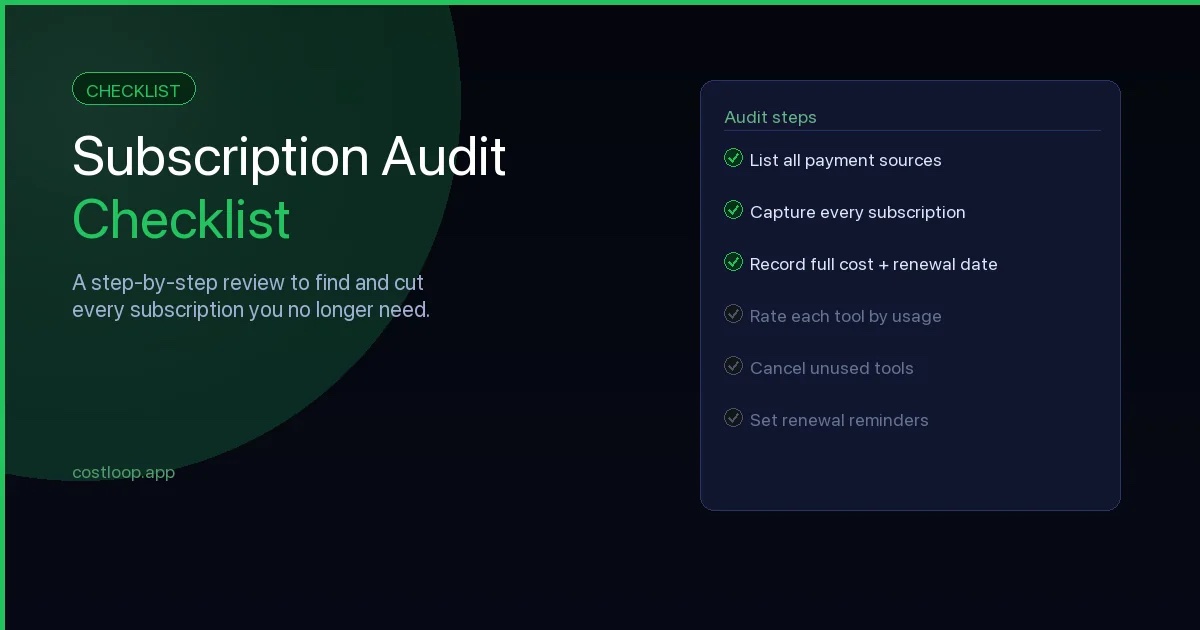
You do not need to implement all ten at once. Start with the central register and renewal reminders - those two practices alone will catch most missed renewals and give you the foundation to add the others over time. The subscription audit checklist is a practical starting point if you want a step-by-step process for the initial setup.
Subscription management software for small and medium business: what you actually need
Small and medium businesses searching for subscription management software often land on enterprise procurement tools built for companies ten times their size. The feature lists look impressive until you realize half of it requires an IT department to configure and costs more per month than several of the subscriptions you are trying to manage.
What a small and medium business actually needs from a subscription manager is simpler: a central inventory of every subscription, renewal reminders that arrive 30 or more days in advance, a way to assign a named owner to each tool, and cost visibility that gives you a real monthly total without manual spreadsheet maintenance. That covers the practical problem. The best online subscription management software for small and medium business is the one that is simple enough to set up in an afternoon and cheap enough that it costs less than one forgotten auto-renewal.
What small and medium businesses do not need: complex provisioning workflows, SSO integration, automated deprovisioning agents, or vendor negotiation modules. Those features exist because enterprise companies have procurement teams managing hundreds of tools across thousands of users. For a 1-50 person team, that complexity creates friction without adding value. CostLoop is built specifically for 1-50 person teams - covering the five core needs without the enterprise overhead. For a deeper look at how to choose the right tool, the best subscription tracker for small and medium business compares the main options by team size and use case.
SaaS subscription management platform: enterprise vs. small and medium business
Enterprise SaaS management platforms - tools like Zylo, Torii, and Zluri - are built for organizations with large software portfolios, dedicated IT or procurement functions, and cross-team governance needs. They solve real problems at that scale: automated discovery of shadow IT across a large network, vendor contract management, license optimization at volume, and integration with SSO and HRIS systems. They can also require sales-led pricing, implementation work, and ongoing administration.
A business subscription tracker covers the same five core needs - inventory, renewal alerts, owner assignment, cost tracking, and a regular review cadence - without the IT complexity or the price. Enterprise platforms start to make sense when you have a large tool portfolio, a dedicated IT function, and software governance workflows that cannot be handled manually. Before that point, the enterprise platform may solve problems you do not have yet, while adding cost and complexity that slows you down. A purpose-built small and medium business tool handles the actual problem better at a fraction of the cost.
If you are evaluating options and want to understand what features matter at different scales, the best subscription tracker for small and medium business breaks down the decision by company size and use case.
Frequently Asked Questions
What is subscription management and spending control?
Subscription management is the practice of systematically tracking, reviewing, and controlling all of a business's recurring software subscriptions. It covers recording what tools you pay for, how much each costs, when they renew, who owns each subscription, and whether each tool is actively used and delivering value. Done well, subscription management delivers spending control - preventing wasted spend, ensuring continuity of critical tools, and giving decision-makers accurate visibility into total software costs.
How do you manage SaaS subscriptions with tool governance as a team?
Managing SaaS subscriptions effectively across a team requires three things: a central subscription register that everyone with relevant responsibility can access, clear tool governance so each subscription has a named accountable owner, and a shared process for adding new subscriptions (including vendor management approval) so the list stays current. A dedicated software subscription tracker is significantly more practical than a shared spreadsheet for teams, because it handles reminders automatically and keeps the register accurate without manual coordination.
What should a subscription register include?
A complete subscription register should include the tool name and vendor, subscription cost and billing cycle, next renewal date, payment method, the name of the person responsible for the subscription, number of seats or licenses and how many are active, a brief description of what the tool does, instructions for how to cancel it, and where login credentials are stored. Optionally, attach the most recent invoice directly to the record so it is never lost in someone's email inbox.
What is subscription management software for small and medium business?
Subscription management software for small and medium business is a tool that gives you a central inventory of every software subscription, renewal reminders with enough lead time to make decisions, per-tool owner assignment, and cost visibility across your full stack. It covers the five things small and medium businesses actually need - without the complex provisioning, SSO integration, and auto-deprovisioning agents that enterprise platforms are built around. CostLoop is designed specifically for 1-50 person teams.
What is a SaaS subscription management platform?
A SaaS subscription management platform is software that centralizes tracking, renewal management, cost visibility, and ownership of all software subscriptions. Enterprise platforms (like Zylo, Torii, or Zluri) are built for large organizations with IT departments, procurement workflows, and sales-led implementations. Small and medium business platforms like CostLoop cover the same core needs - inventory, alerts, owners, costs, and review cadence - without the enterprise complexity.
Do small and medium businesses need an enterprise SaaS management platform?
No. Enterprise SaaS management platforms are designed for organizations with dedicated IT departments and large software portfolios. For small and medium teams, a simpler subscription management tool can cover the necessary functionality - central inventory, renewal reminders, cost tracking, and owner assignment - without enterprise implementation overhead.
CostLoop is built to help small and medium businesses put these best practices in place without the overhead of manual tracking. Renewal reminders, cost visibility, and a central subscription register - all in one place. Start for free - no credit card required.